Features
One app, fourteen tools, all on your Mac.
Download only the tools you want. Each one runs on your Mac's own chip, keeps working offline and saves what it makes in Assets, on your Mac. Nothing is uploaded.
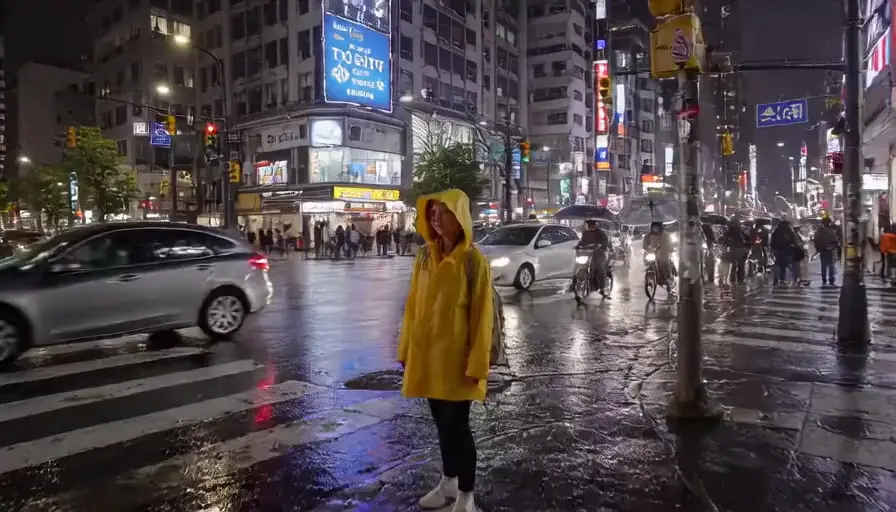
Prompt A woman in a yellow raincoat on a Tokyo crosswalk at night says, “I think I finally found it.”

Prompt A thunderstorm rolls over a golden wheat field at dusk; lightning forks through dark purple clouds…
Create
Start from a description, a photo or a recording.
Pictures
16 GB+Photos, illustrations and art from a description, up to 2048 pixels, or a new version of a picture you have.
Video with sound
16 GB+Clips with dialogue, music and sound effects from a description, or a photo brought to life.
16 GB Macs make the smaller sizes; 24 GB Macs make every size up to HD.
Video effects
24 GB+Relight, restore, colourise, clean up or reframe a clip, or animate a still.
Talking portraits
16 GB+Not in the beta yetMake a portrait speak or sing a recording, with lip sync, for one or two speakers.
3D models
16 GB+Textured 3D models from a description or a picture, or paint a mesh you already have.
Text to speech
Every MacRead a script aloud in a preset voice, a voice you describe in words, or your own.
Songs
16 GB+Songs with vocals from your lyrics and a style, from 30 seconds to 4 minutes.
Sound effects
16 GB+Sound effects and ambiences up to 30 seconds, from a description.
Edit and clean up
Fix and transform what you already have.
Photo clean-up
Every MacRemove an object or fill in a damaged area; the rest of the photo stays untouched.
Voice changer
Every MacMake a recording sound like another voice, keeping the delivery.
Speech to text
Every MacTranscripts with speaker labels, word timings and subtitles, in 52 languages and dialects.
Voice isolator
Every MacNot in the beta yetTake background noise out of voice recordings.
Stem splitter
Every MacSplit a song into vocals, drums, bass and other instruments.
Ask the assistant
Describe the result and let Moonbox use the tools for you.
Assistant
Every MacChat with Moonbox: it uses every tool above for you, and builds websites, decks, documents, apps and games.
24 GB Macs get a more capable assistant.
How it works
- A small app, tools on demand
- The app itself is a small download. The first time you open it, pick what you want to make and Moonbox downloads just those tools. Add or remove tools any time.
- Sized to your Mac
- Moonbox only offers tools your Mac has the memory to run well. See what each Mac can make.
- Works offline
- Once your tools are downloaded, everything works without the internet. Moonbox goes online to download tools and updates; after 30 days offline those wait until you reconnect, and everything else keeps working.
- Marked as AI-made
- Pictures, video and audio you export carry a content credential (the C2PA standard) that says they were made with AI.
- Updates you approve
- Moonbox tells you when an update is ready and installs it only when you say so. Changelog.
- Free
- No subscription and no credits. Sign in with your email address so we can deliver your downloads.